Lightning has a TON of really great simple features that all focus on making the user’s experience simpler and often reducing number of clicks. If you’re trying to convince your company to convert to lightning – here are a few great features that come right out of the box!
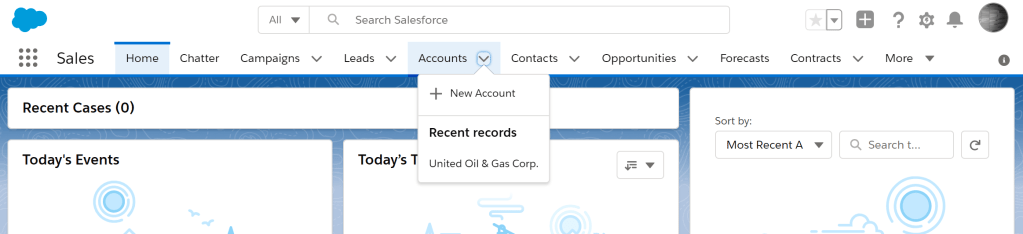
- Tab Drop Downs
This feature allows you to quickly jump to creating a record without having to click into the tab and then click create. (Are we counting clicks?)
From here you can also jump to recently viewed records for that object as well as see any records that you’ve marked as favorites.
2. Favorites
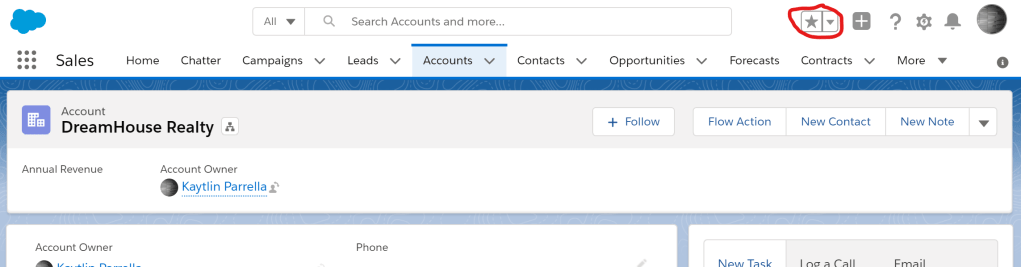
Do you have a record you always seem to be working in? Are you running a report weekly? Do you wish there was a better way to get to things in your org that you use oh so often? Enter Favorites!
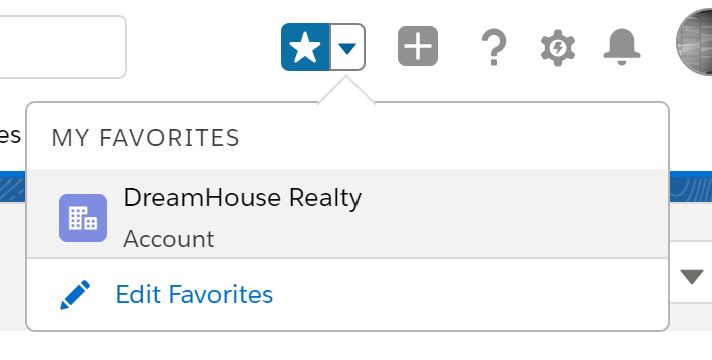
As you are on your record, list view, report, etc – you will see the little star button at the top of the screen (as shown below). Simply click the star on pages you want to mark as your favorite. You can see those records either in the Star button’s drop down, or on the relevant objects tab drop down.
3. Search
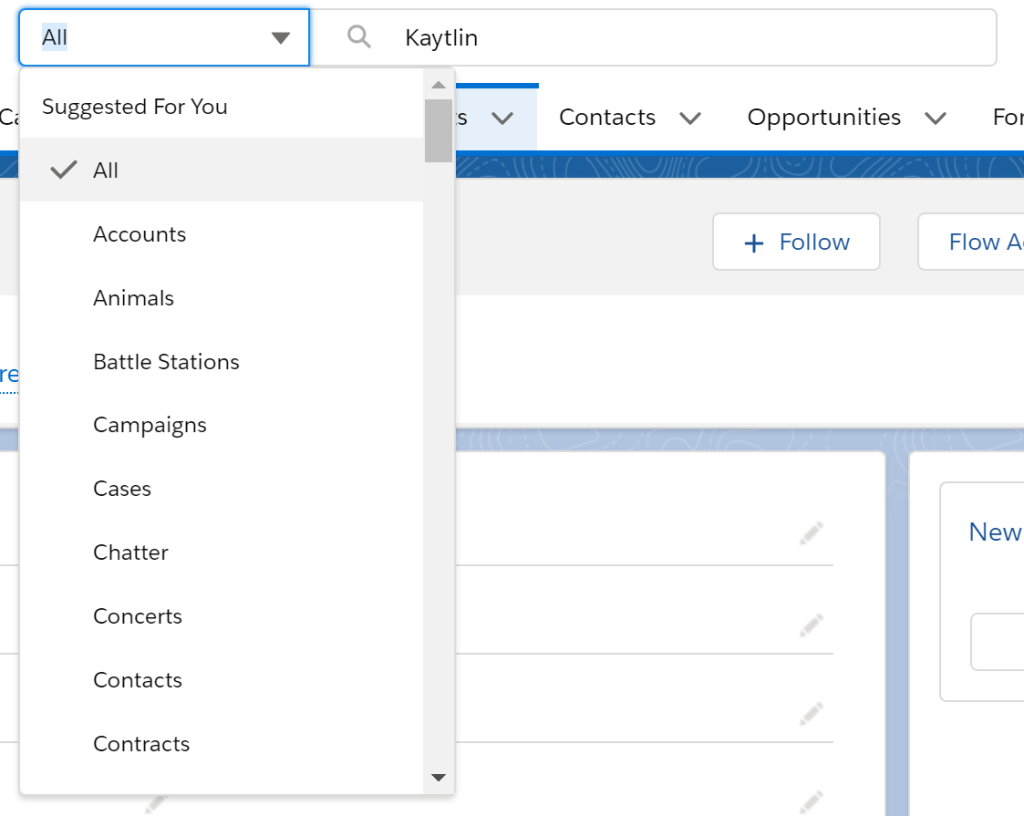
Wishing the search bar would allow you to filter by the object you wish to search in? In lightning you can! Type in your search term, and simply select the object you wish to focus the search in with the drop down option as shown below.
4. Lightning Record Pages
I could spend hours talking about Lightning record pages, but for this post I will focus on a few key features that help your users see more so they can get more done.
In Lightning we have the option of organizing our pages really however we’d like. More and more features are being released to make this even better as well.
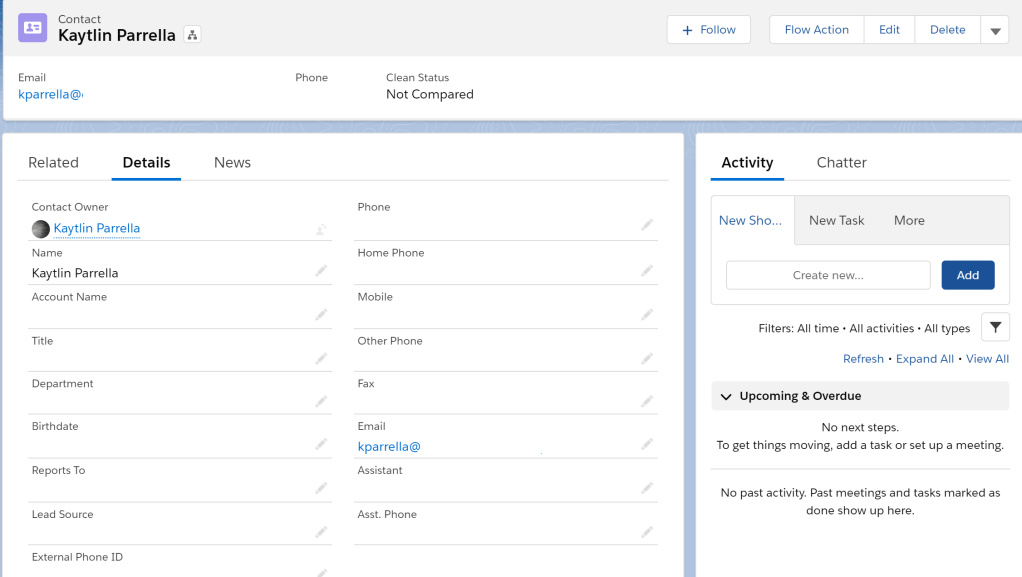
On the page layout shown below – you can see the main content area (left side) is broken into three tabs, Related – Details – News. And to the right side lives all of the activities related to this record and the chatter posts. Long gone are the days we need to scroll through chatter, then record details to finally see our related items at the bottom of the page.
Check out the Lightning App Builder to see all of your page options.
All of the above features are declarative – meaning they require no code changes – and they are options available as soon as you stand up in lightning. What better way to get excited about switching to the lightning platform than readily available convenience features?
I love love love lightning conversions so if you ever have any questions or need guidance. Please feel free to reach out!
 Salesforce tips & tricks